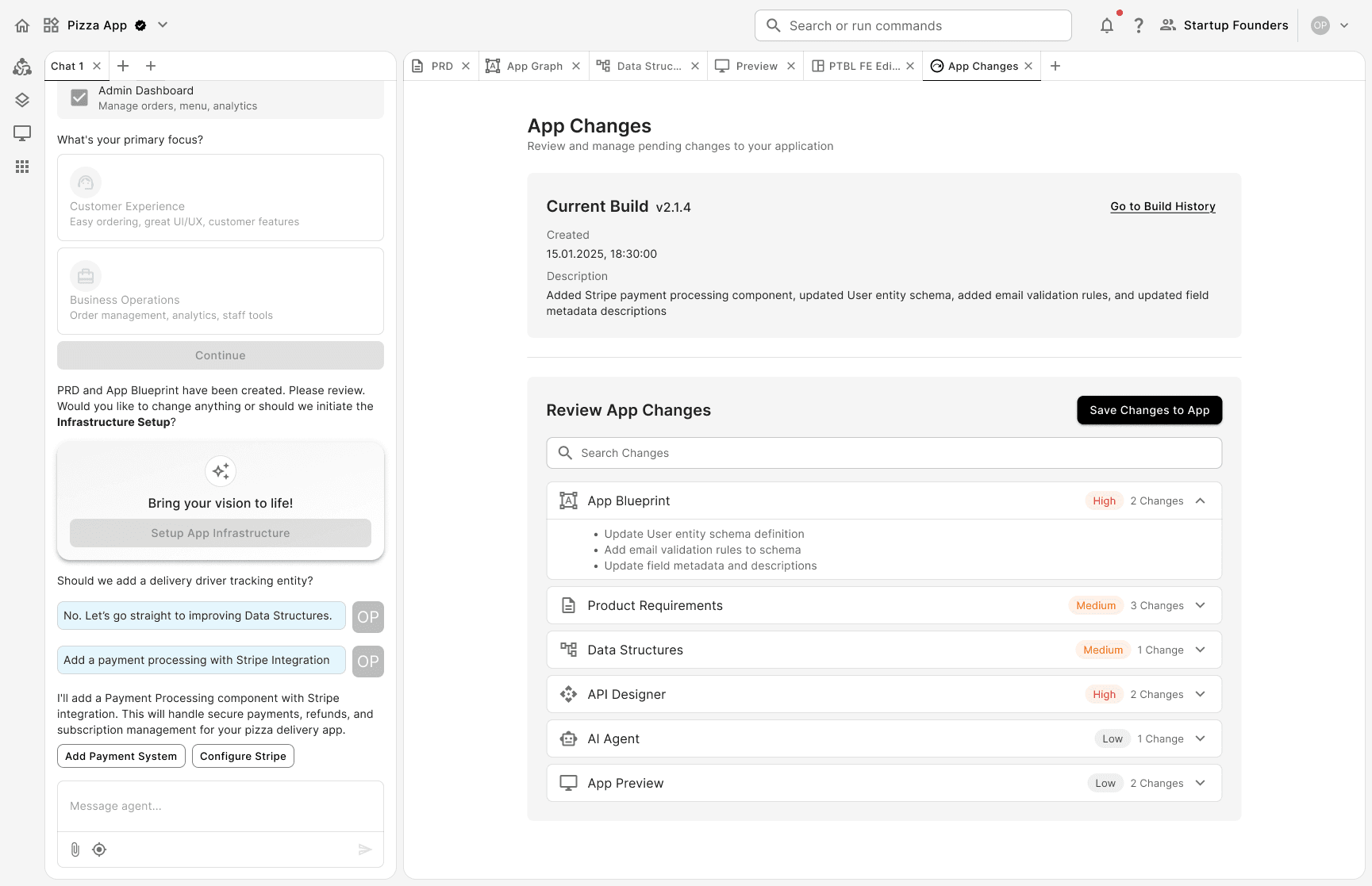
Desktop app
AI
2025
Role:
Product Designer
Year:
2025
Team:
2 designers, Full stack & QA engineers
Scope:
Researching, UX/UI, Design Handoff, Design implementation review
Prompt.Build is an AI app builder that takes you from idea to deployed application by using a structured, graph-to-code-based approach. This ensures better control over changes and synchronization between the frontend, backend, and database.
The user owns the entire source code and can build products by paying for the build and runtime phases, with no hidden token costs.
The app is still in Founding Builder Private Access, so interested builders can sign up to be among the first to use it. For future impact assessments, the following metrics will be considered:
How quickly do users go from an initial prompt or idea to a deployed app
Number of prompts required/app
Apps created within shared workspaces
Average members active / workspace

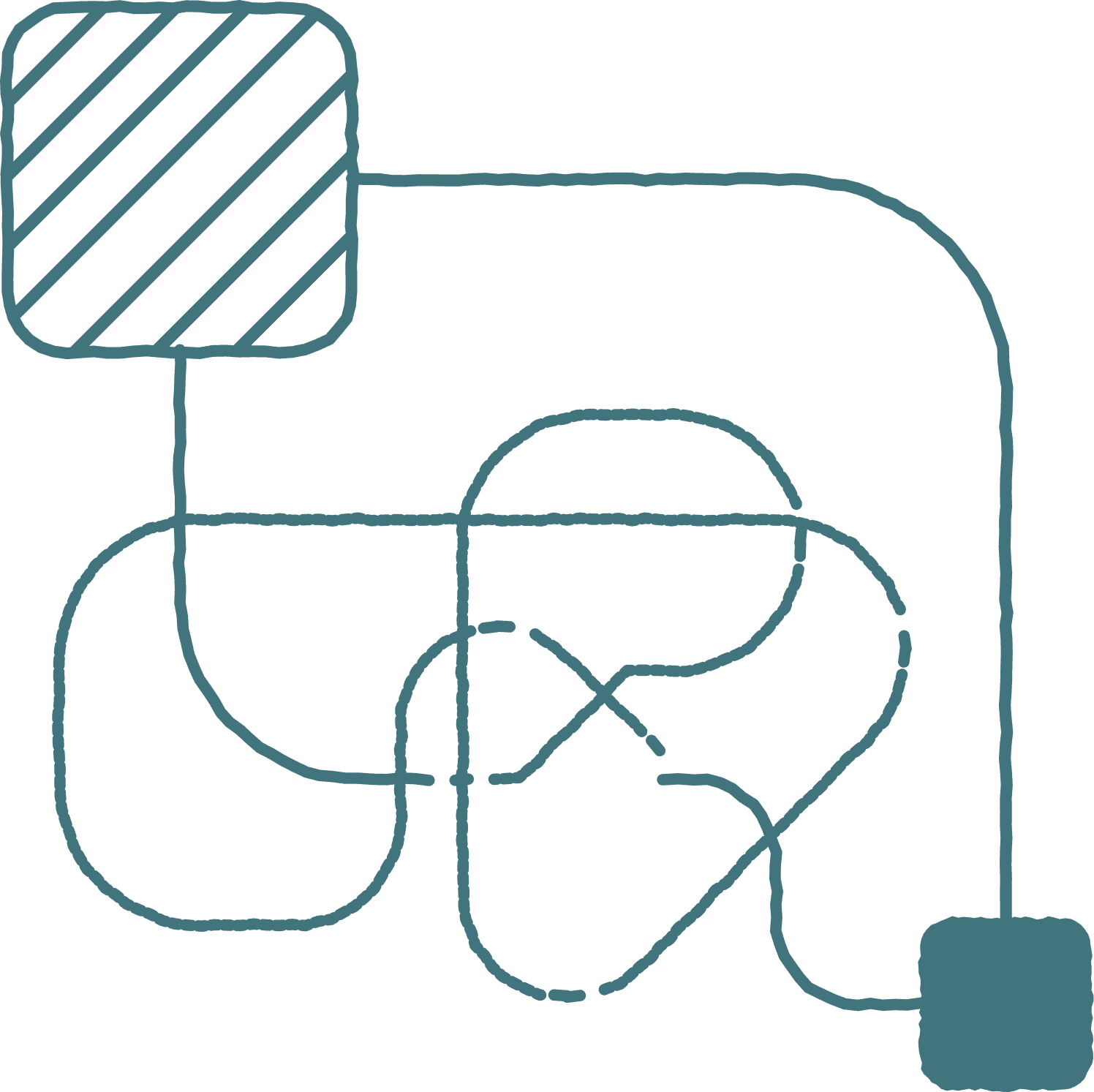
To resolve this functional problem of vibe-coding tools, Prompt.build first creates a graph or blueprint of the user's entire app. This graph is further converted into a code, and the entire app generation process becomes predictable.
When using Prompt.Build, users follow a mental model: Prompt → Build → Run.
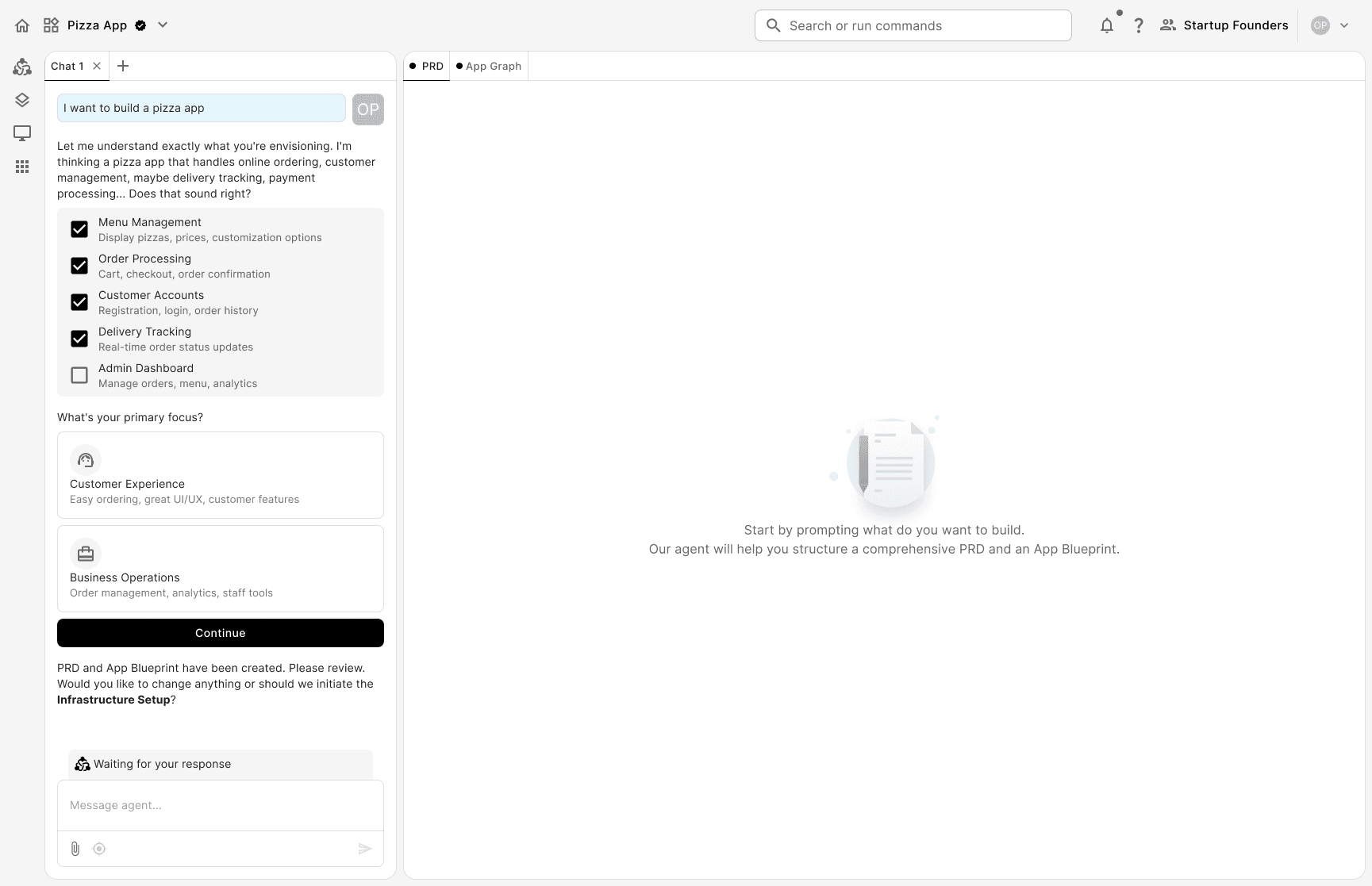
Prompt: the system translates the user's input into a Product Requirement Document (PRD). Once the user refines and approves the PRD, the system generates an app graph. The graph works as a high-level visualization of the app's system architecture.
Build: through the Graph-to-Code Compiler, the graph is transformed into a complete application stack. This step is crucial in obtaining a stable output and avoiding hallucination loops.
Run: handles deployment to staging/production

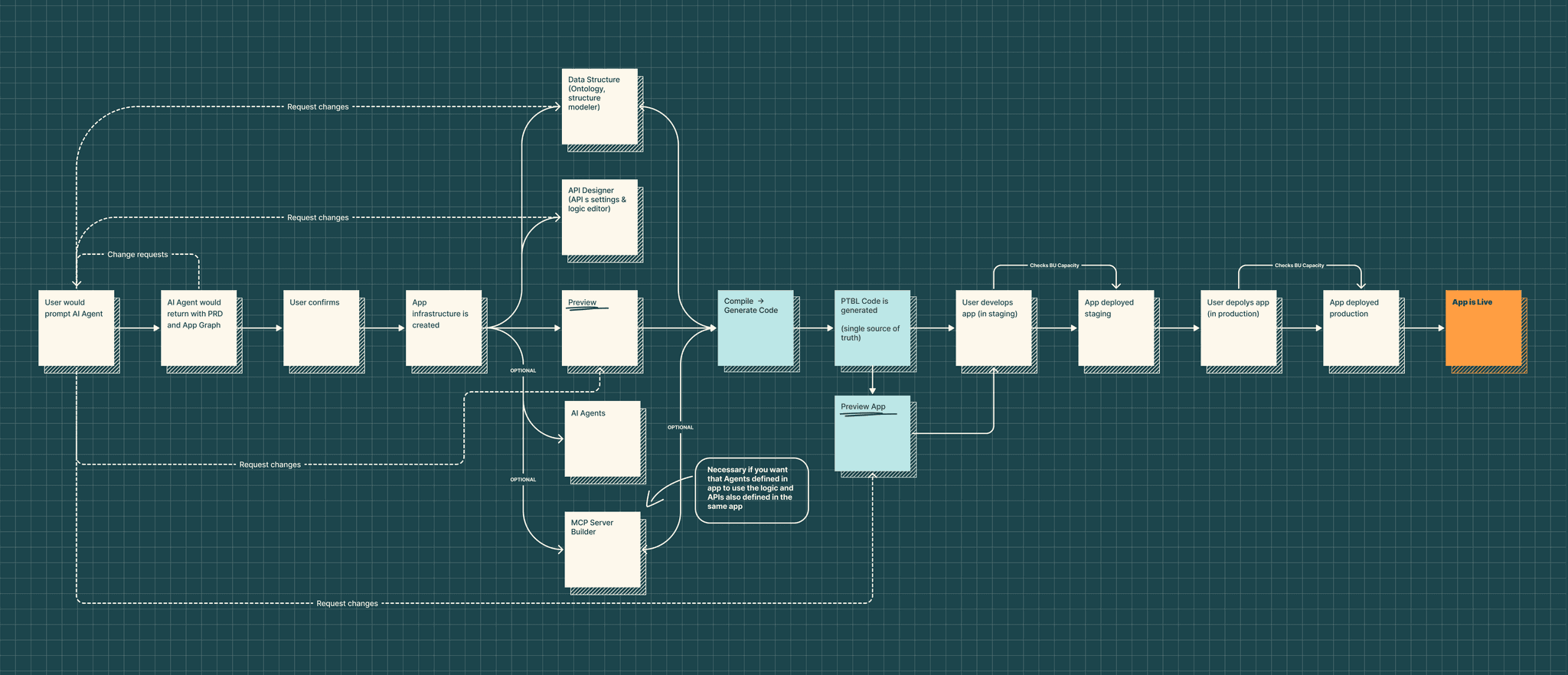
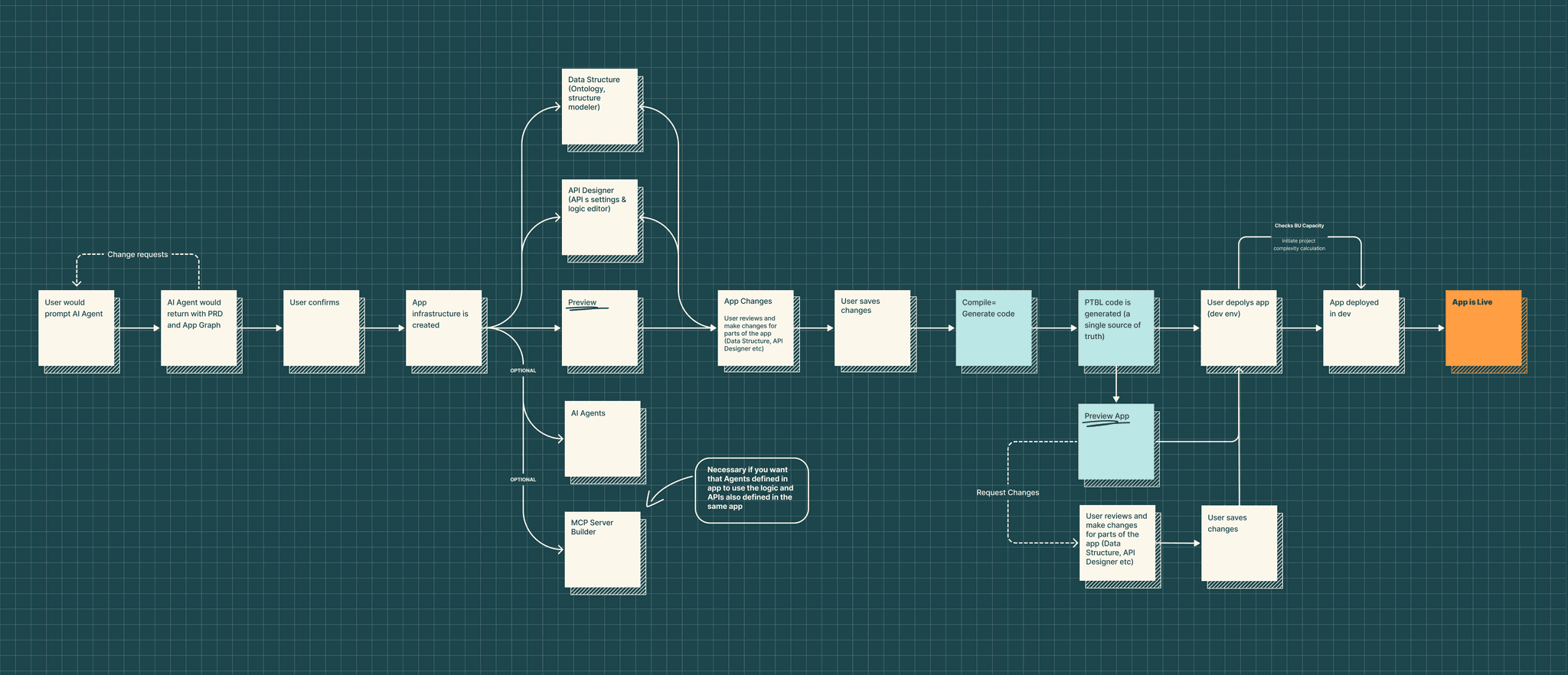
To gain insight into the problem, we had a workshop for drafting the user flow for app creation to align the team with what was to be resolved.
What the problem means:
every change made by user pushed them to start from the beginning;
user frustration → higher churn rates → potentially stopping altogether using the app;
for a new app like Prompt. Build this could be the biggest step back.
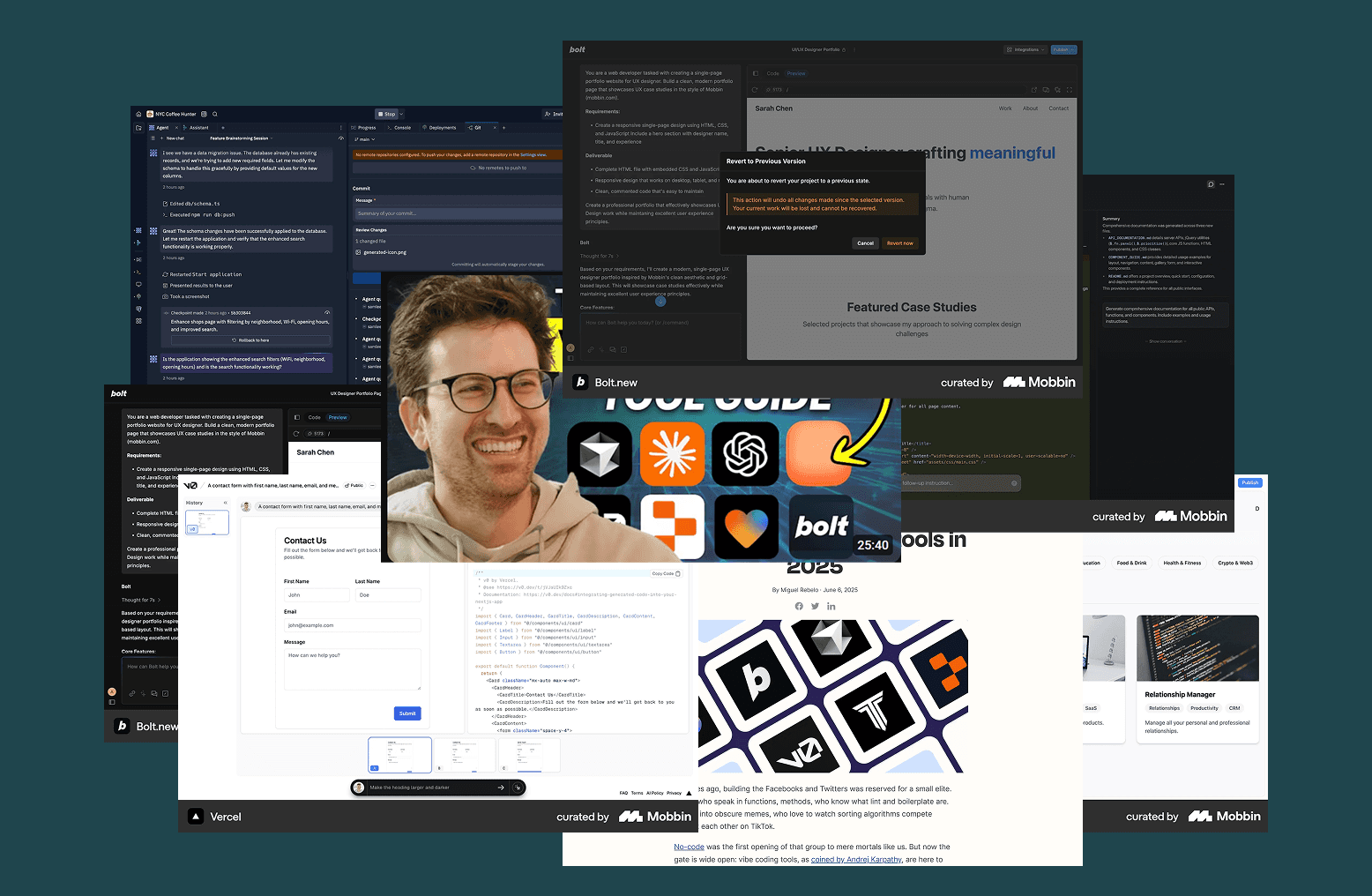
I wanted a profound understanding of other vibe-coding tools and how they are solving our particular problem. I researched tools like Replit, Lovable, Bolt, Vercel and Cursor.
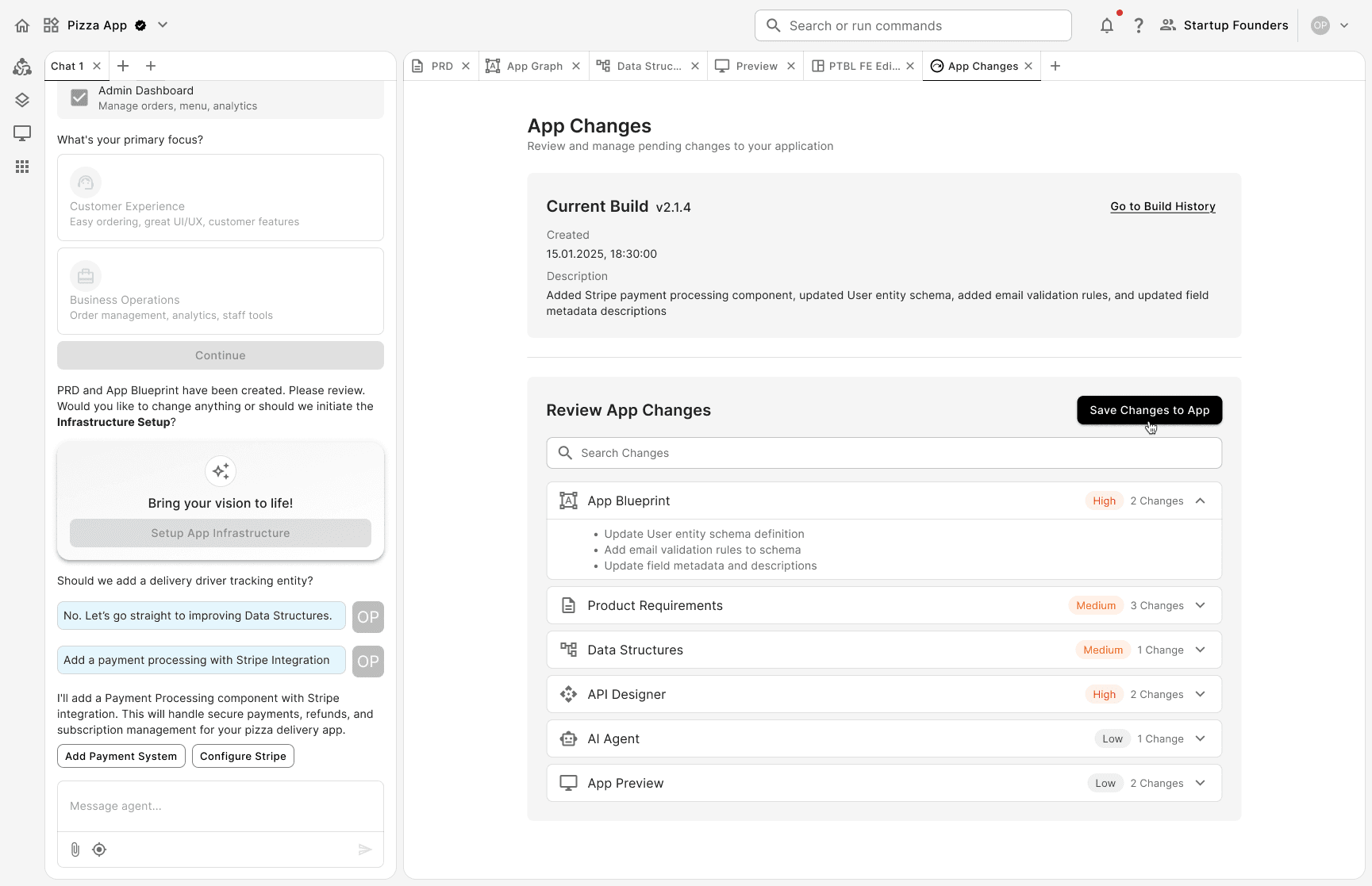
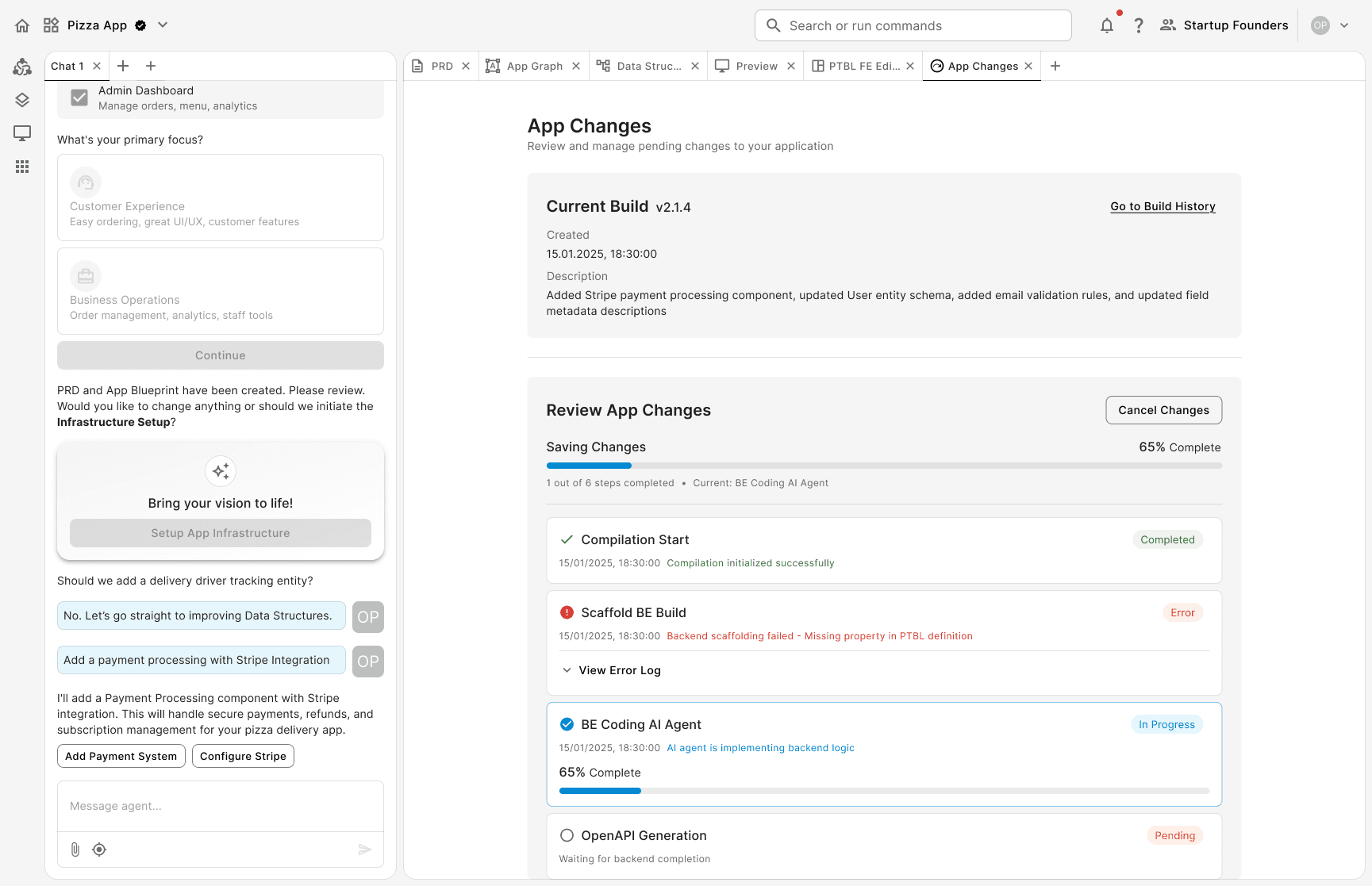
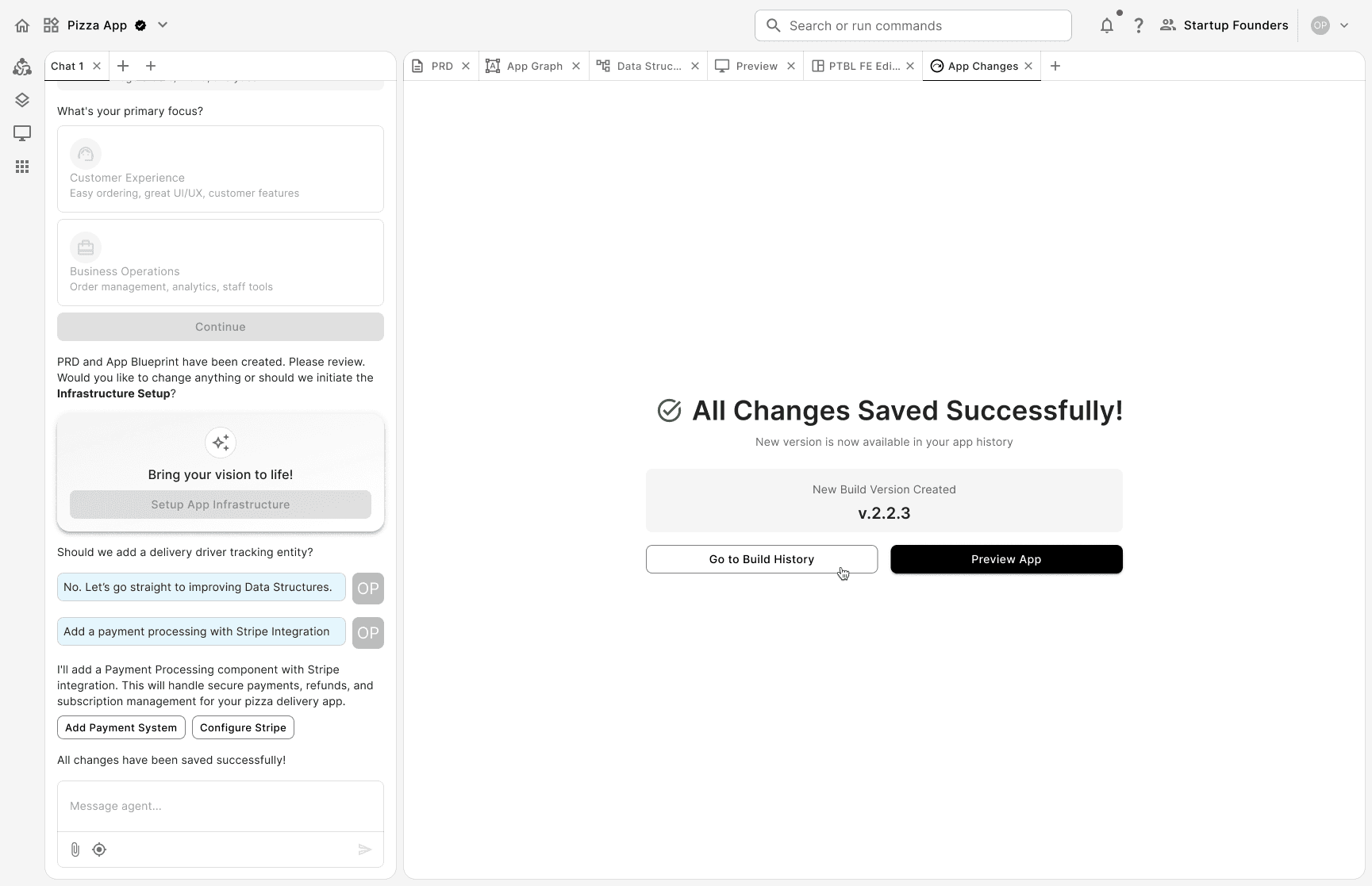
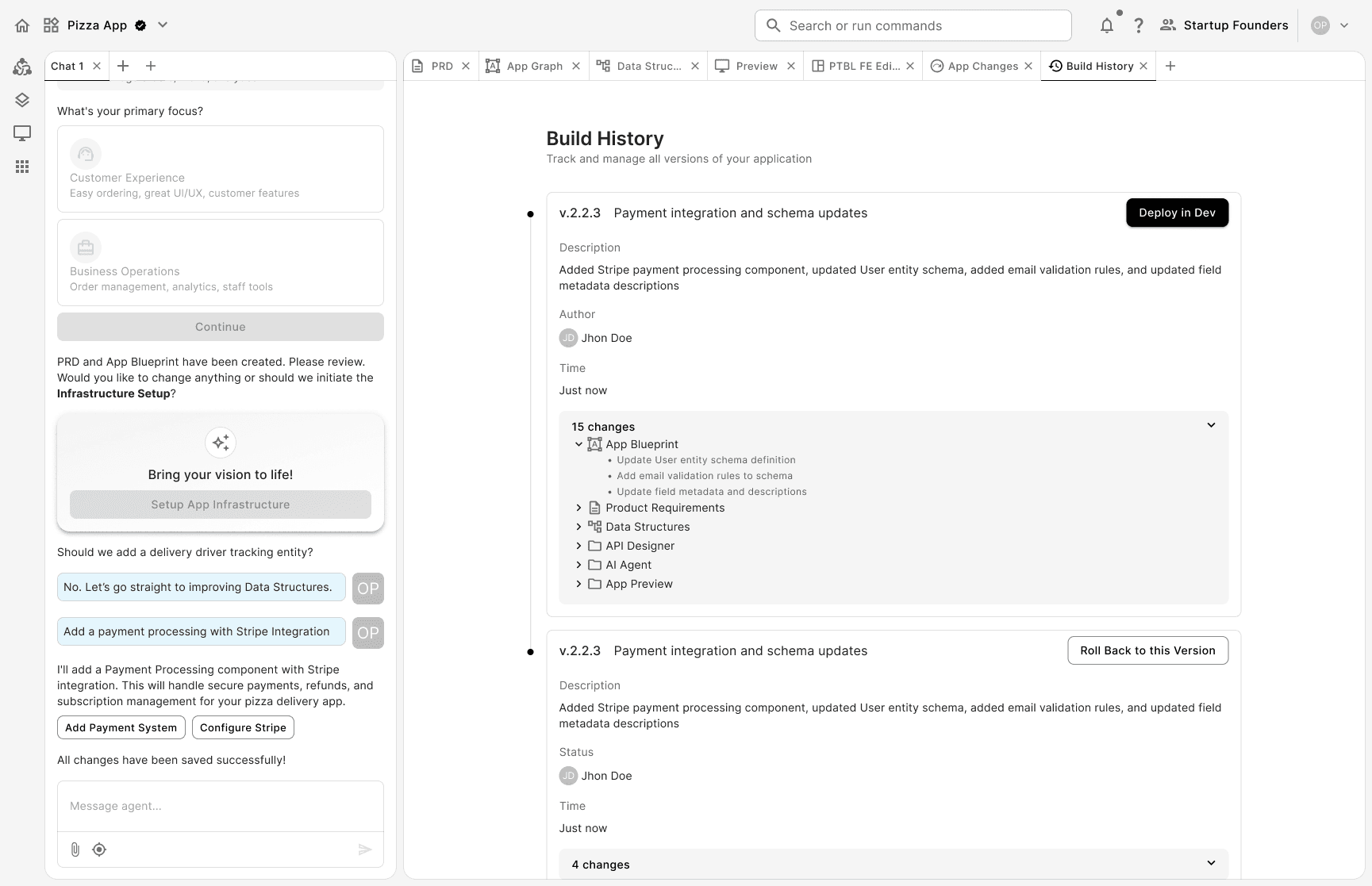
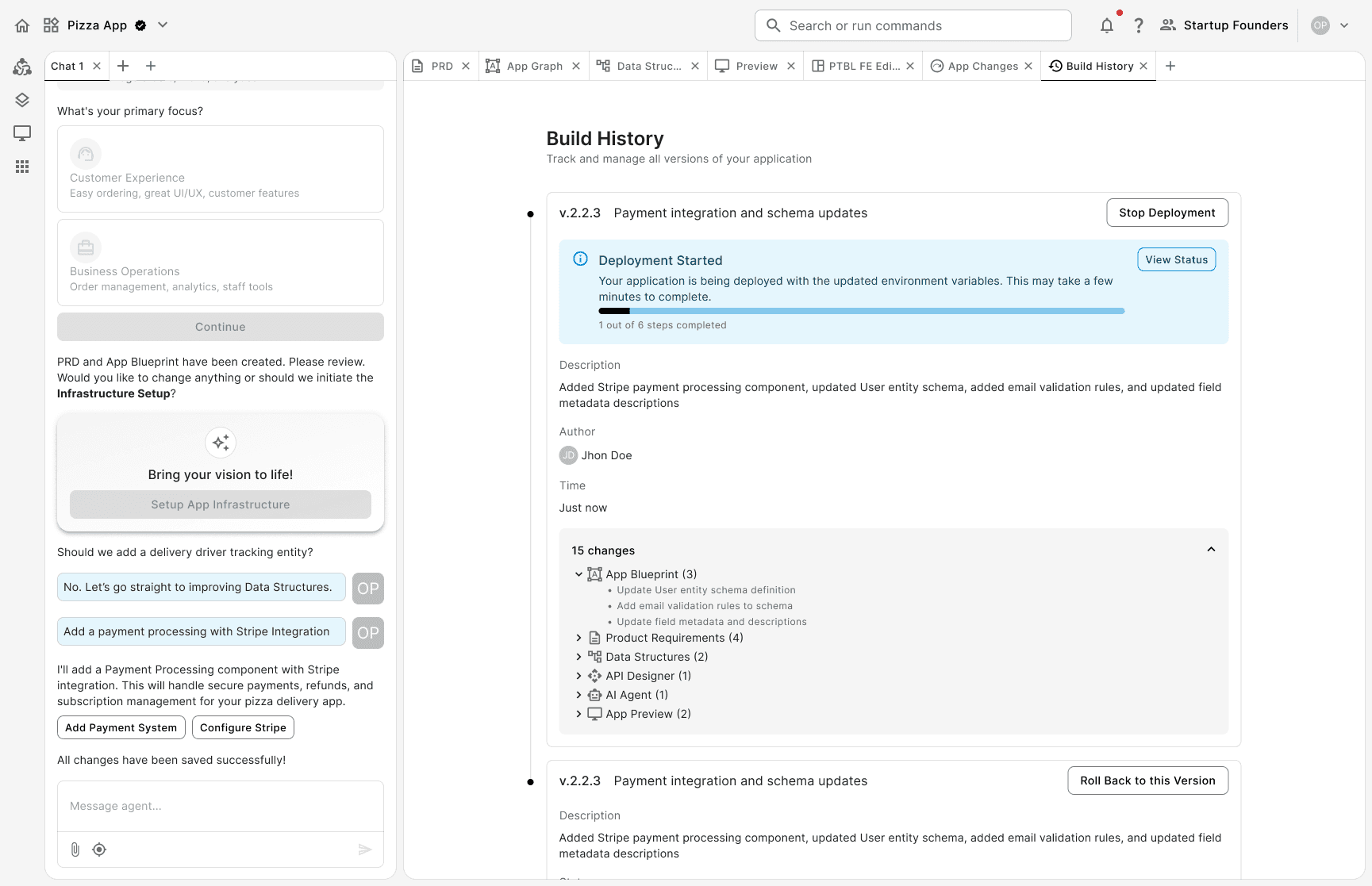
To tackle the problem, we added two further refinements to the flow: app changes and build history. Firstly I tested the logic in a diagram, and then I proceeded with improving the polished mock-ups.
I designed them by hiding complexity and exposing it progressively. While the AI is doing all the heavy work of modifying logic within every layer of the app, the user gains ownership by deploying those changes.
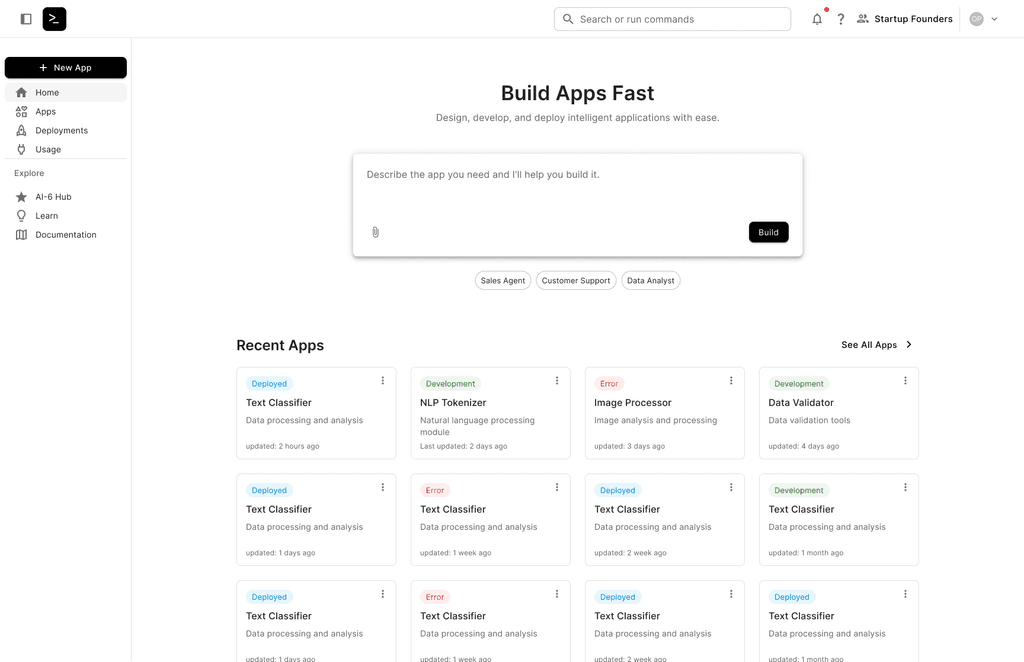
Final screens with main user flow after adding App Changes & Build History
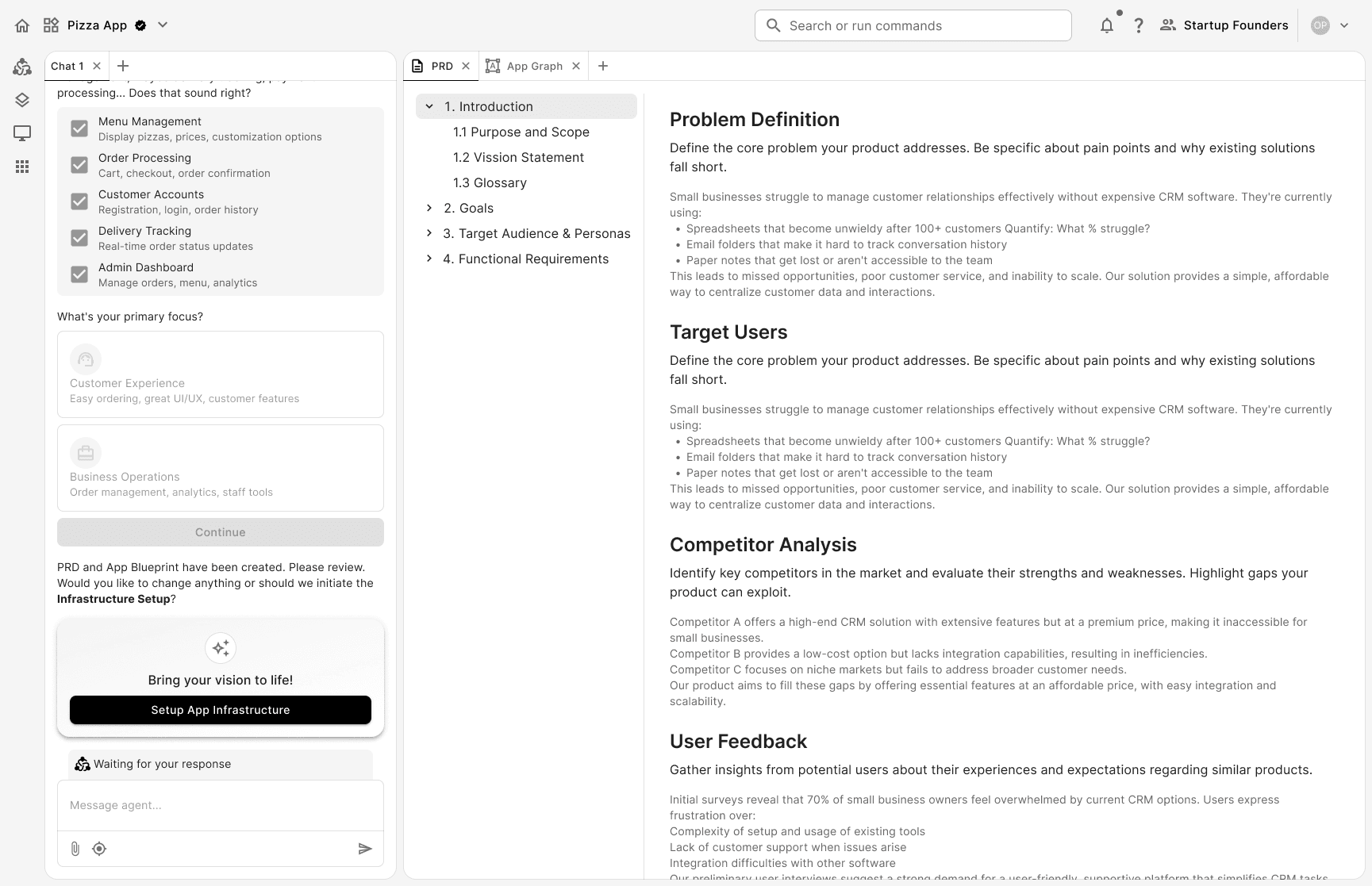
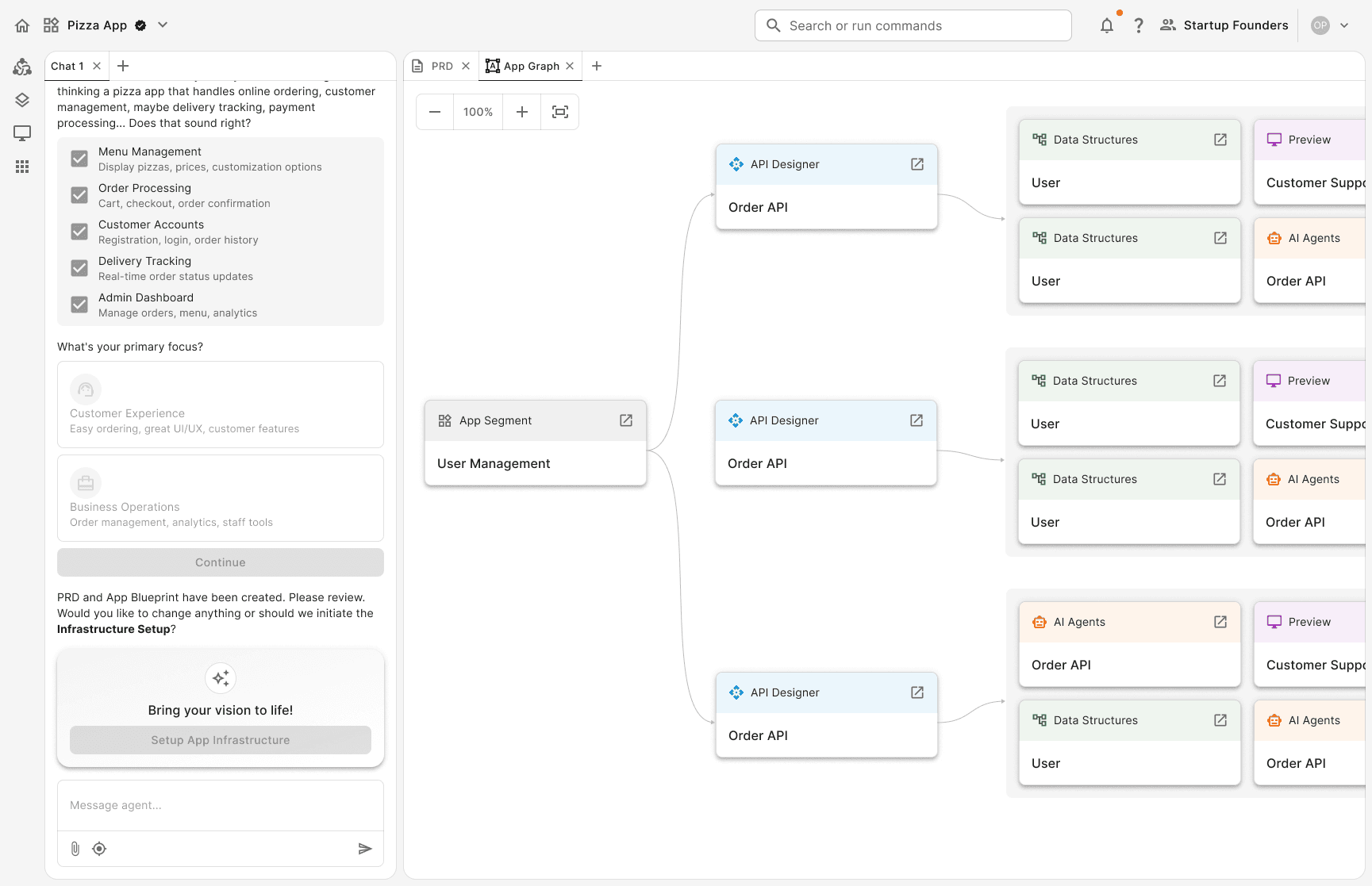
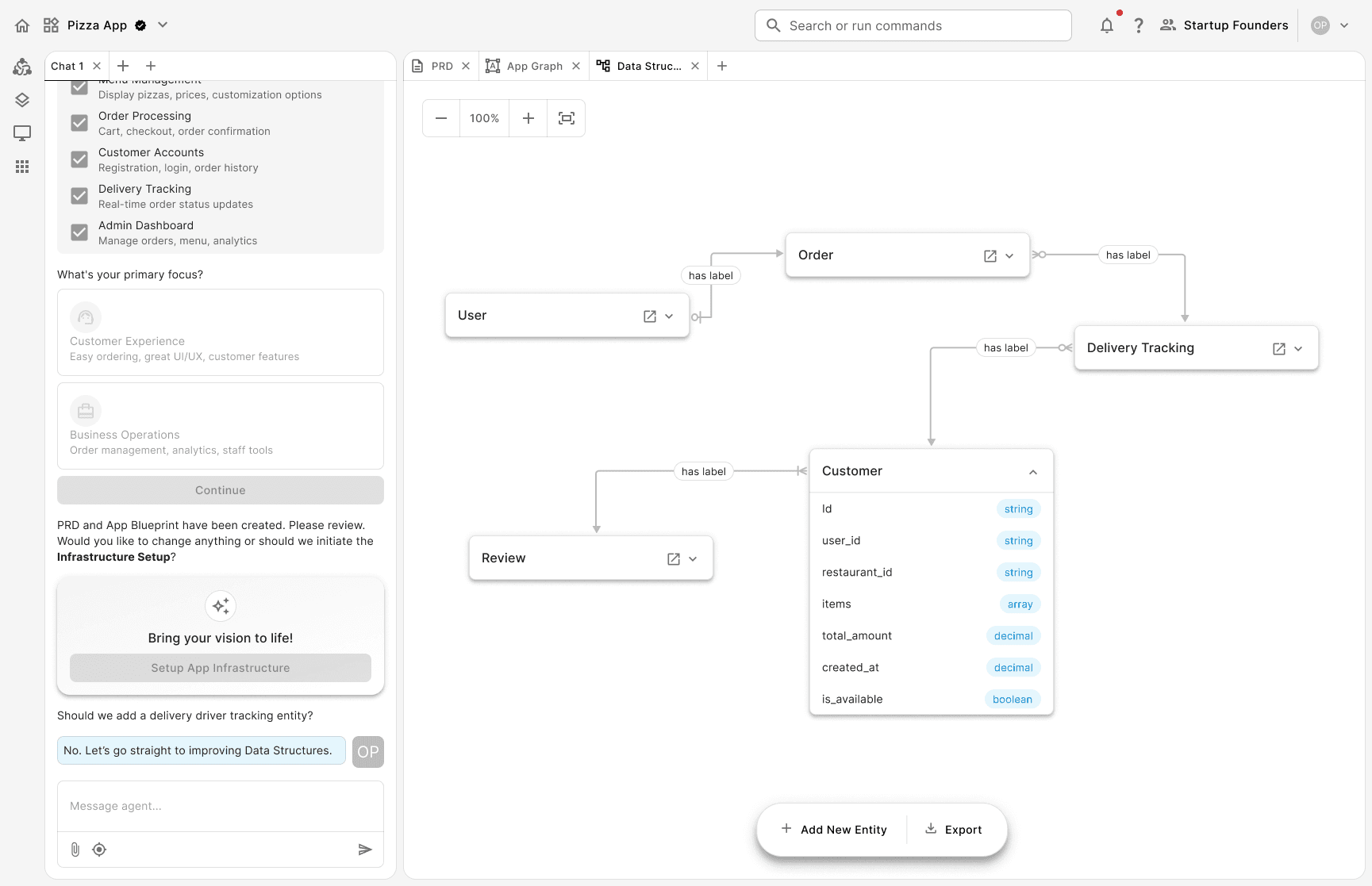
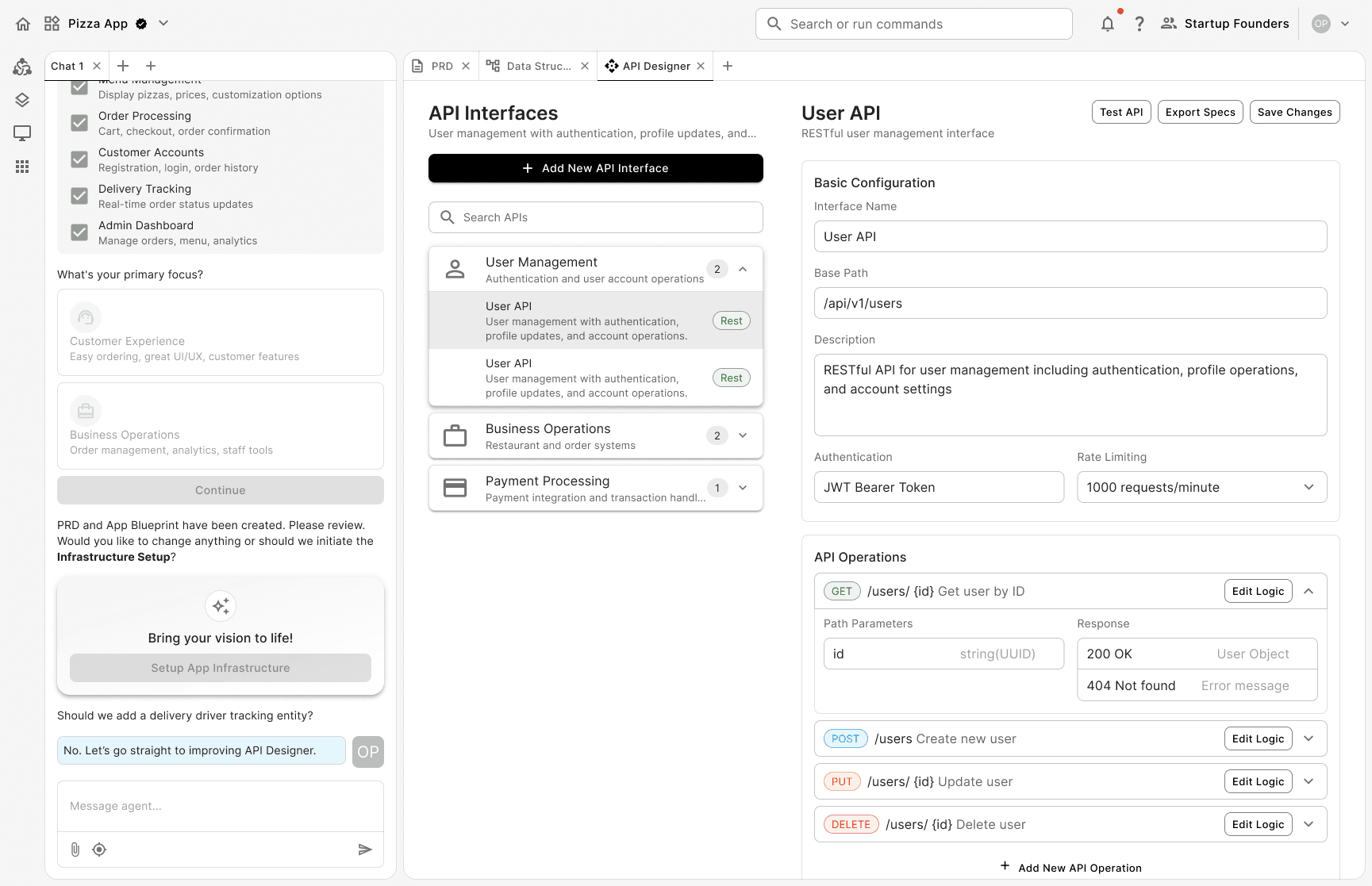
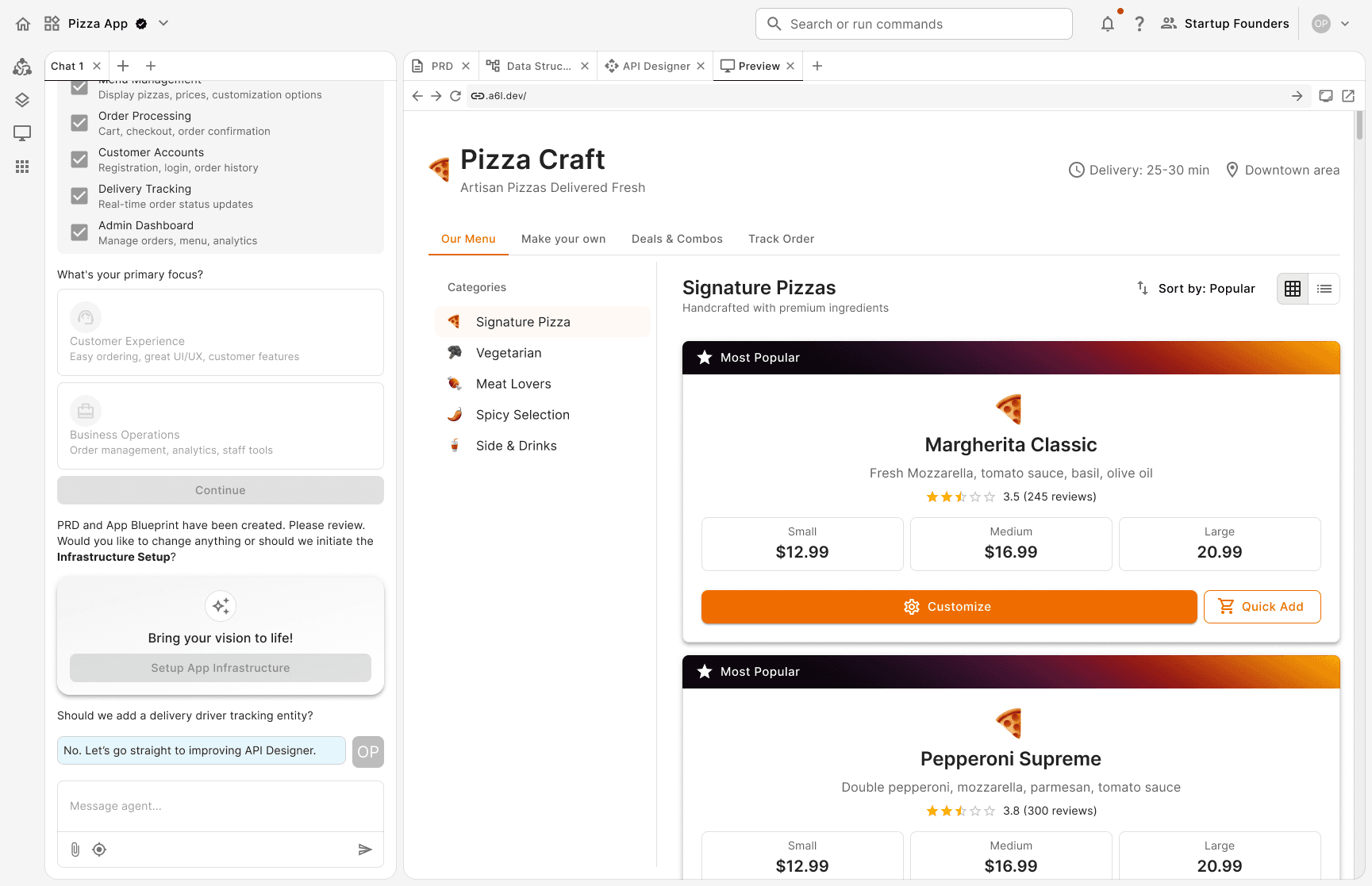
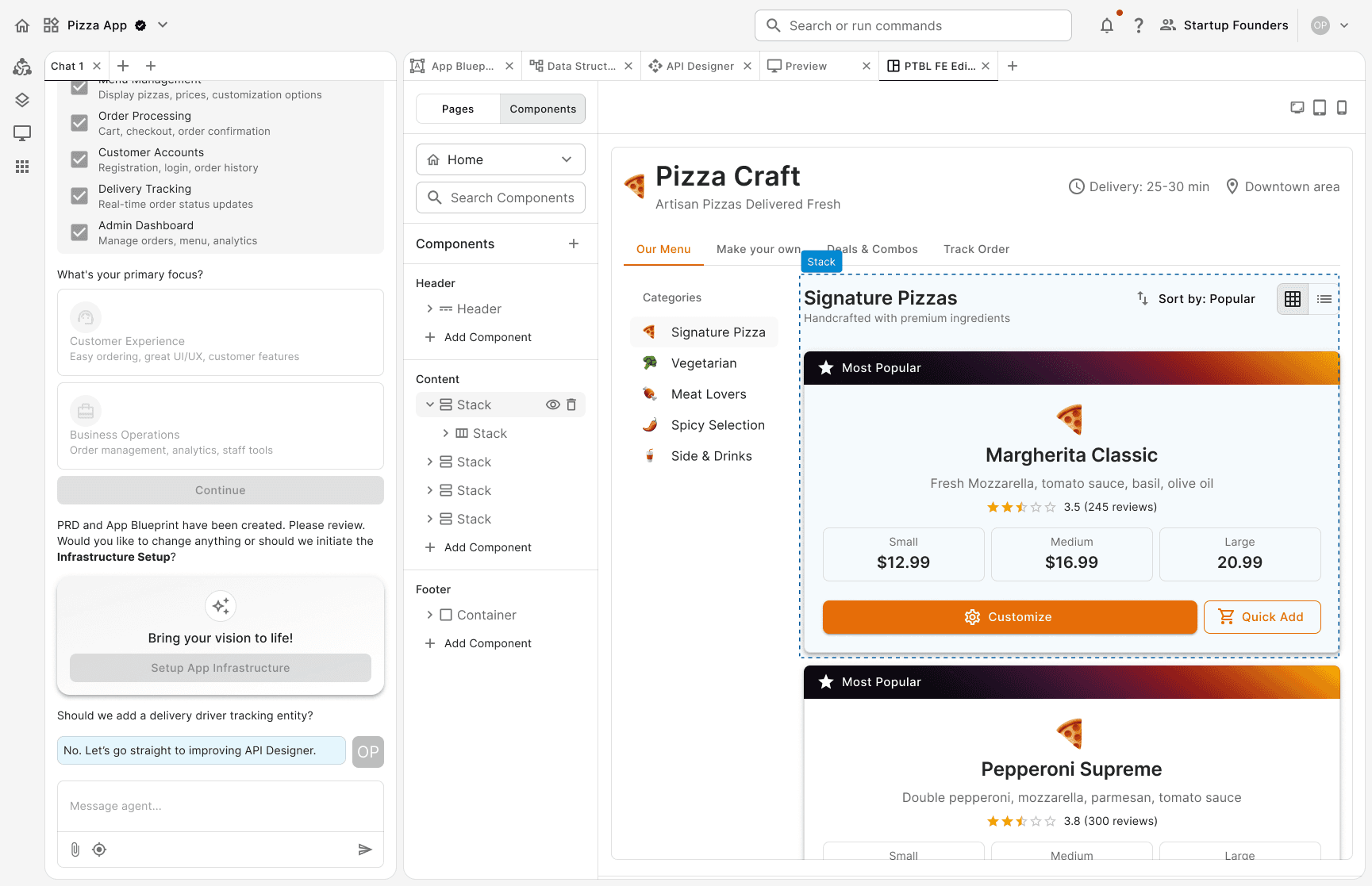
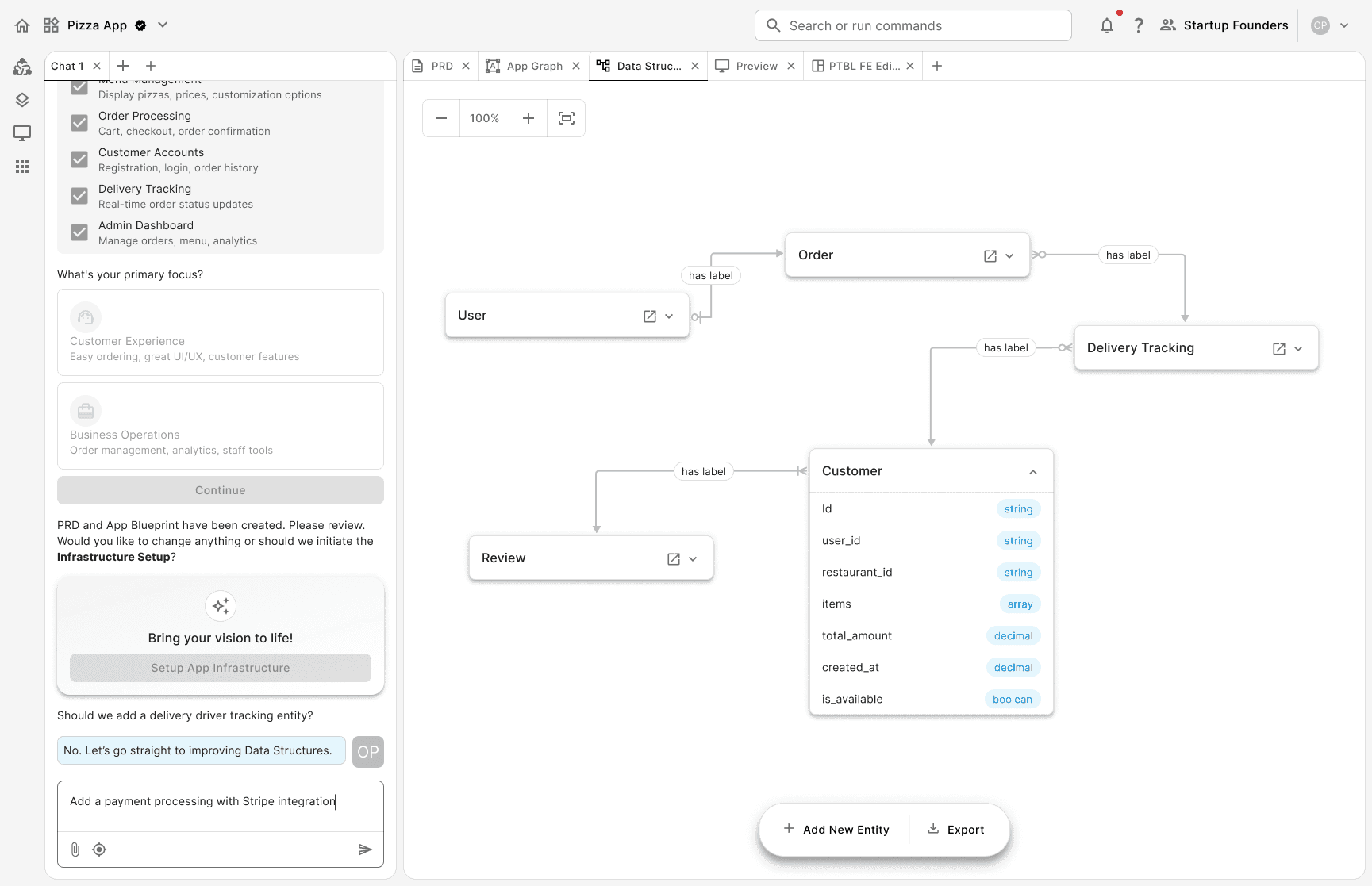
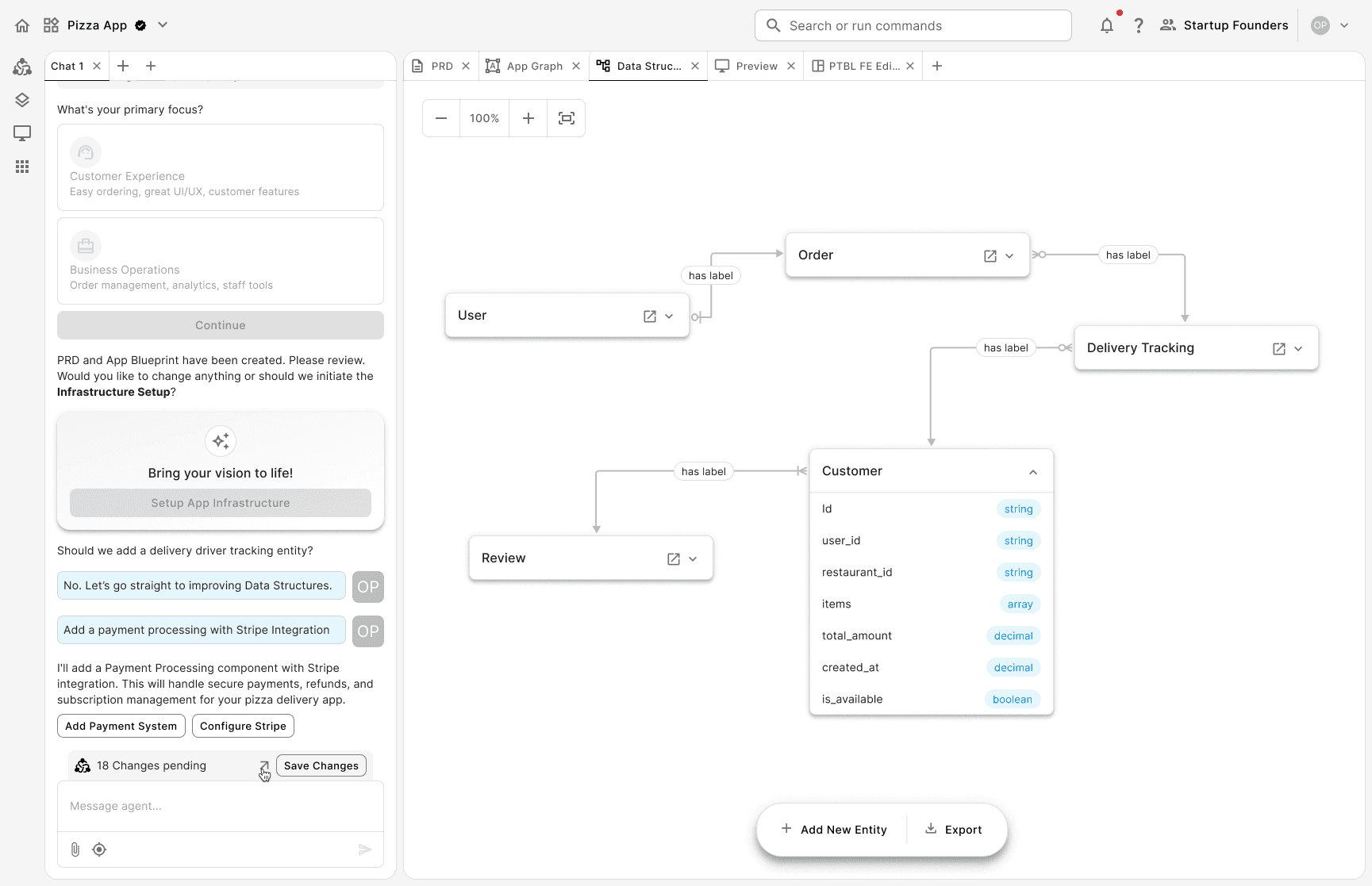
When I designed the solution, I considered the value it would bring to the users so that they could benefit from it.